Chrome Silver Iron Man Space Wallpaper for iPhone
Strip Iron Man’s armor of its usual red and gold, drop it into a starfield, and render the whole thing in brushed chrome — that’s the pitch behind this wallpaper, and it’s a better idea than it might sound on paper. The helmet turned slightly in profile, so you’re not getting the classic dead-on hero shot but something closer to a statue caught mid-thought, staring off past the frame.
What actually makes this one work is the material choice. Chrome is unforgiving — it either looks cheap or it looks expensive, and there’s no middle ground. Here the surface picks up scattered points of light across the faceplate and jaw, which reads less like a paint job and more like polished steel under a studio lamp. The eye slit stays a flat, cool white rather than the usual blue glow, which keeps the whole piece feeling sculptural instead of lit-up and gamey.
The background does a lot of quiet work too. It’s not a generic black void — there’s a genuine scattering of stars at different brightness levels, with a few standing out enough to draw the eye upward before it settles back on the helmet. Because the top third of the image is just stars and darkness, this wallpaper leaves your clock and notifications room to breathe without fighting a busy composition for attention.
Monochrome Iron Man art tends to either go full noir-shadow or full chrome-shine, and this one commits to the latter. If you’ve already got a few colorful MCU wallpapers in rotation, this is the one that breaks the pattern — it reads more like concept art for a Marvel toy line than a movie screenshot, which might be exactly why it holds up better as a static background than something busier would.
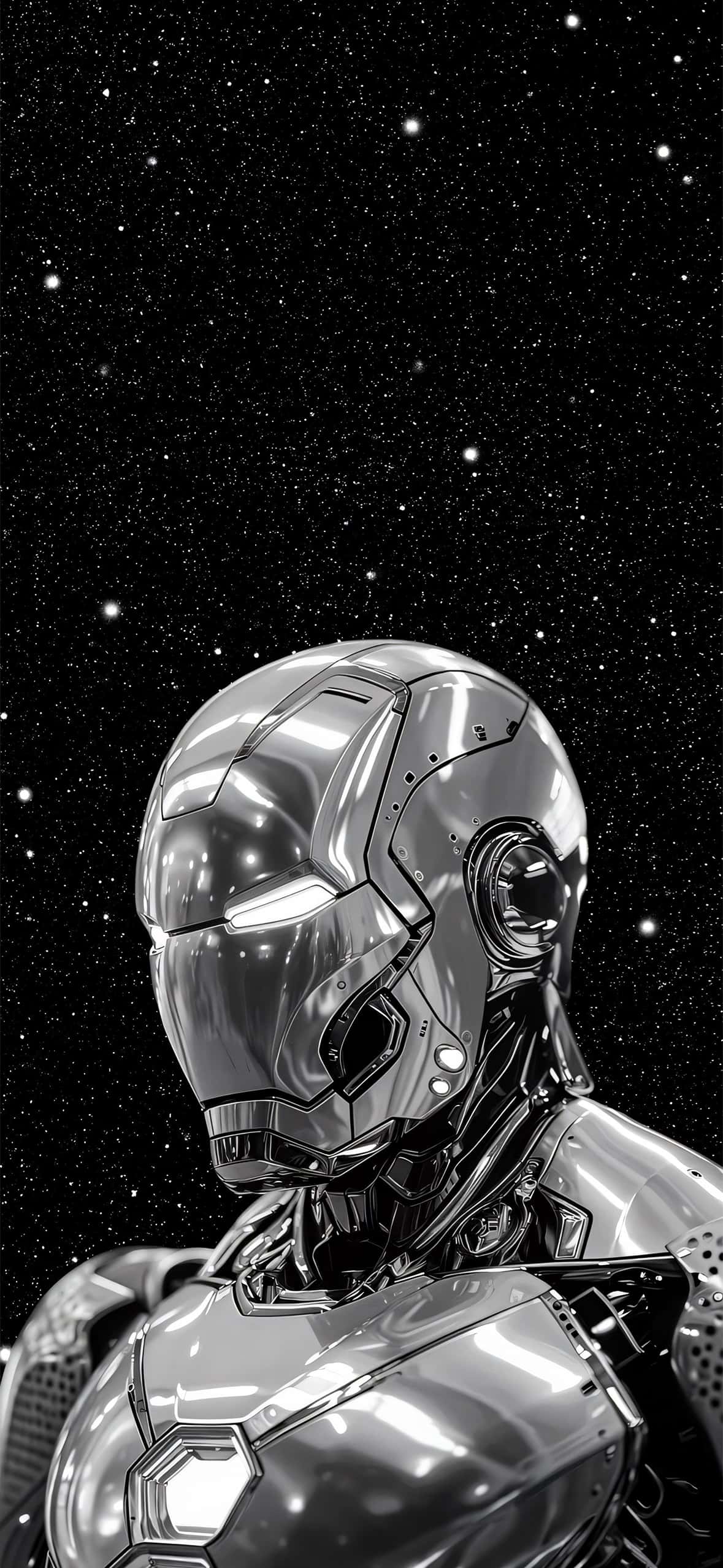
On an OLED iPhone (12 and later), the black starfield portions will render as true black, so the chrome helmet effectively floats against nothing. On LCD models the black will look slightly grey, but the contrast still holds up fine.