Sculpted Archangel Statue Sword iPhone Wallpaper 4K
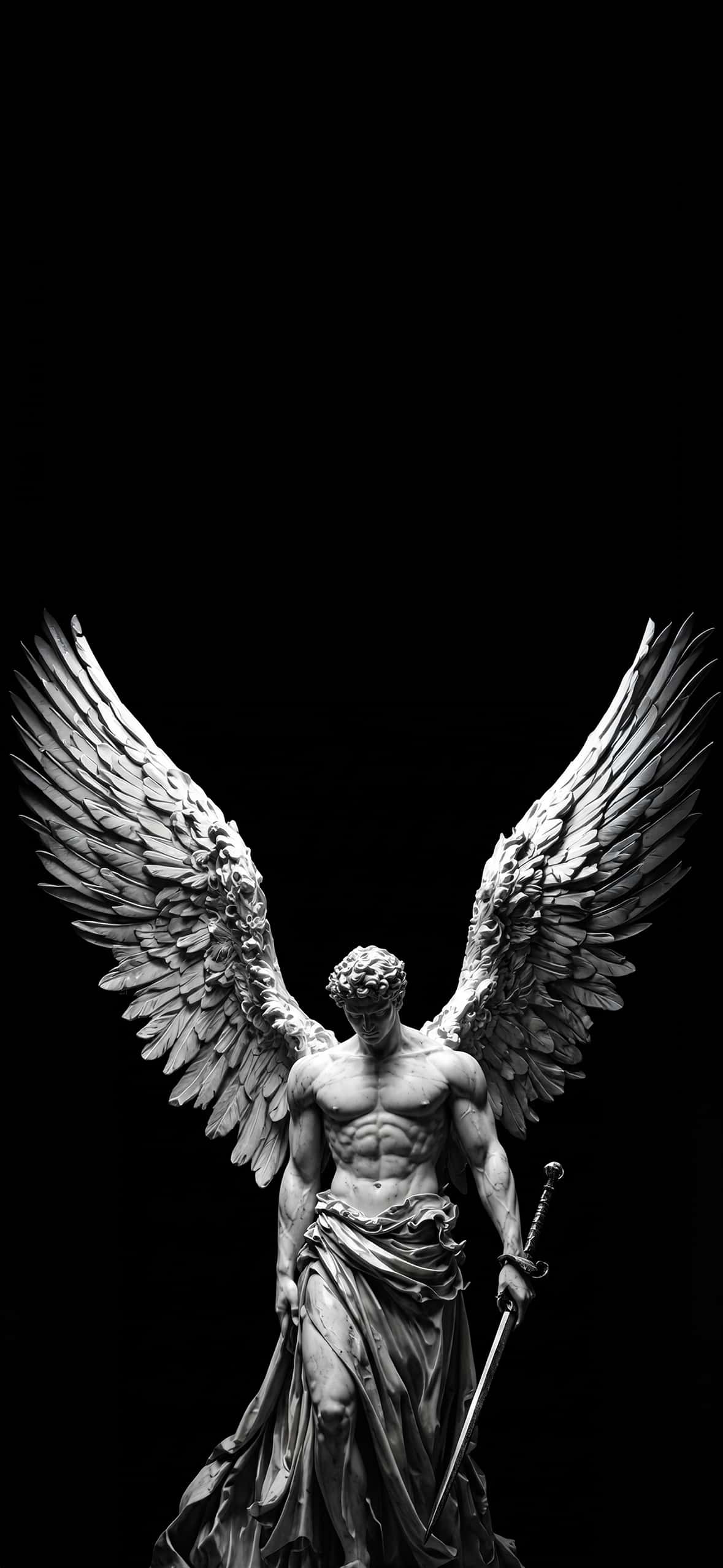
This high-resolution dark mobile wallpaper showcases a fine-art monochromatic render of a classical marble archangel statue. Reminiscent of Renaissance and Neoclassical sculpture, the figure stands stoically with a bowed head, broad muscular build, and flowing classical drapery wrapped around the waist. In his left hand, he holds a detailed medieval sword pointing downward, embodying a timeless theme of divine guardianship and calm intensity.
The archangel’s feather-detailed wings unfurl upward and outward in a symmetrical V-shape, framing the central figure. High-contrast chiaroscuro lighting creates dramatic shadows across the carved stone torso and wing feathers, highlighting subtle marble grain and chiseled textures. Set entirely against a seamless pitch-black canvas, the statue serves as a striking, gothic-inspired focal point for any mobile display.
Pure Black OLED Display Optimization
Engineered specifically for high-contrast smartphone screens, this dark wallpaper maximizes screen hardware efficiency:
True Black Canvas (#000000): The pure black upper canvas allows OLED and Super Retina XDR displays to turn off individual pixels completely, yielding infinite contrast ratios while conserving battery power during daily use.
Chiaroscuro Shadowing: Strong side-lighting brings out fine carved details in the feather tips and stone folds without blowing out highlights or creating visual glare.
Clean Visual Isolation: Eliminating background distraction keeps system UI elements crisp and highly readable, preventing busy visual clutter behind phone widgets.
Recommended iOS Lock Screen & Display Setup
To get the most aesthetic arrangement on your iOS or Android device:
Clock Font & Color: Choose a thin, classic serif font in solid white, cool light gray, or marble off-white to match the statue’s lit stone highlights.
Widget Placement: Place widgets in the pure black space above the angel’s head. The solid background ensures maximum contrast and readability for battery levels, calendar entries, or weather updates.
Depth Effect Layering: Position the artwork so the wingtips extend toward the bottom edge of the lock screen clock, creating a natural layered 3D aesthetic.
Home Screen Balance: Pair this lock screen with a plain solid black or dark grey blurred home screen background to ensure primary app icons stand out clearly.