Angry Tabby Cat Punching Fist Meme iPhone Wallpaper
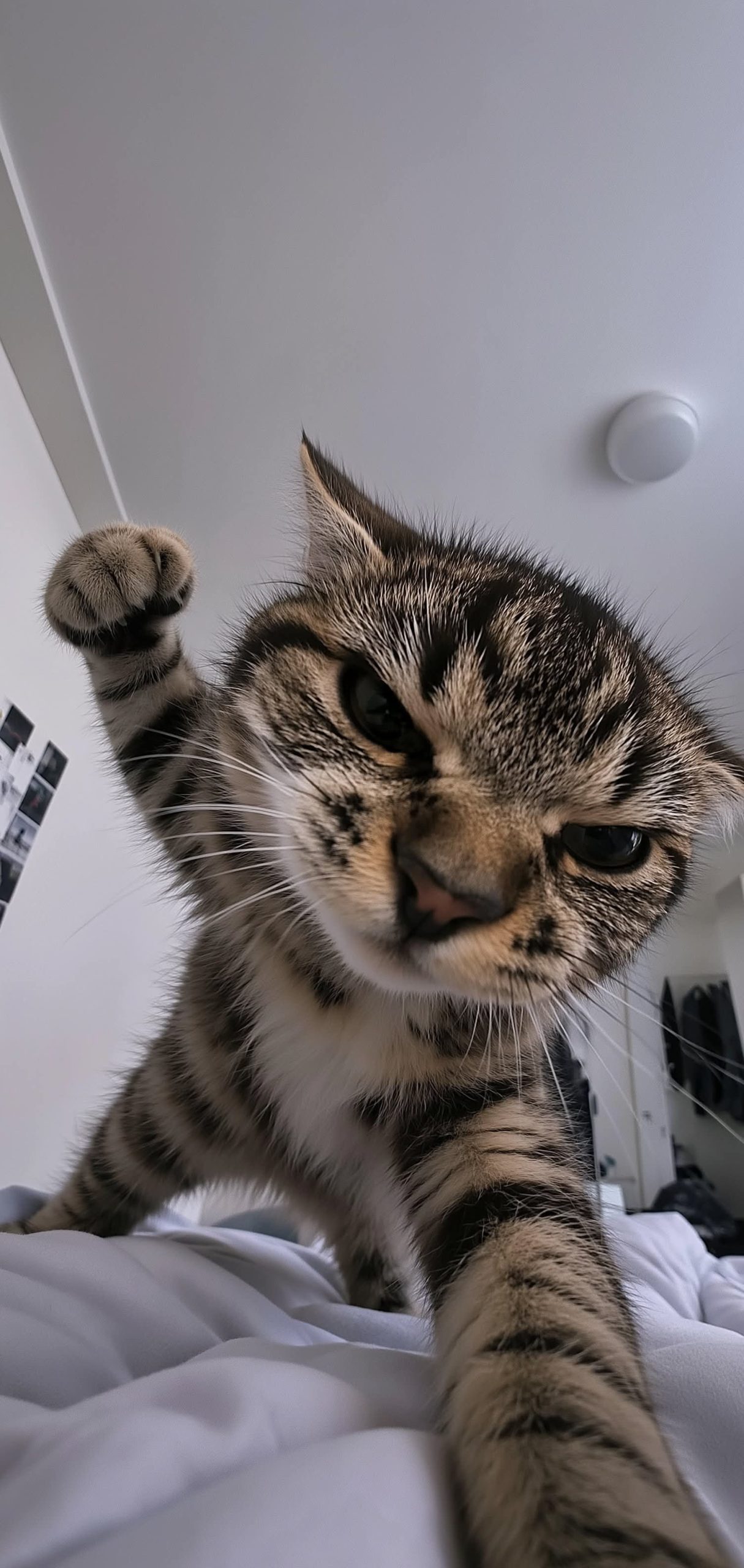
What makes this image immediately iconic is the sheer, unbridled attitude radiating from the subject. The star of the photo is a standard brown and black striped tabby cat with a fluffy white chest, but its facial expression is downright hostile. The cat is sporting a severe, judgmental scowl, complete with intensely narrowed eyes and classic “airplane ears” flattened firmly back in annoyance.
Shot from a dramatic low angle, the perspective puts the viewer directly in the splash zone. The photographer utilized a wide-angle lens, warping the proportions slightly to make the incoming attack look even more imposing. The cat’s right paw is raised high in the air and clenched tightly into a tiny, furry fist, caught on camera right as it winds up for a right hook. Meanwhile, its left leg is planted heavily forward, giving the animal a hilariously dominant, wide stance over the camera lens.
The Background
The backdrop of the shot adds a great layer of unedited internet authenticity, making it feel like a genuine viral meme rather than a staged photoshoot. The brawl is taking place right on top of a messy pile of white bedsheets. Behind the angry pet, the plain white bedroom ceiling is interrupted only by a simple, circular dome light. Over on the left wall, you can spot a vertical strip of small, black-and-white photos taped up, while a dark jacket or hoodie hangs blurry in the background on the right side.
Lock Screen Layout & Customization
Beyond just being a funny joke to look at, the layout of this photograph is actually incredibly practical for a smartphone lock screen:
The Blank Canvas Ceiling: The entire upper half of the image consists of smooth, flat off-white ceiling space. This provides an massive, uninterrupted area for your phone’s clock and date display to sit clearly without getting lost in busy textures.
Typography Setup: Because the upper background is bright, you should swap your clock font to a bold, dark charcoal or solid black to ensure maximum readability.
Widget Placement: Keep your widgets confined to the uppermost corners of the ceiling area. You absolutely do not want weather icons blocking that intensely angry face or the incoming fist.
Depth Effect Layering: If you are using an iPhone, adjust the scale slightly so the cat’s raised fist overlaps just the bottom edge of the time display for a fun, multi-layered 3D pop.