
Autumn Depth Effect iPhone Wallpapers: Cozy 3D Lock Screens
Fall has always been one of the most popular wallpaper seasons — warm colors, cozy textures, and that unmistakable golden light just translate beautifully to a phone screen. But autumn Depth Effect iPhone wallpapers take that seasonal appeal a step further, using iOS’s layered Lock Screen feature to make a single falling leaf, a pumpkin, or a branch of autumn foliage appear to sit right in front of your clock and widgets. This guide covers how Depth Effect works, why autumn imagery is especially well-suited to it, the best types of fall photos to look for, and how to set everything up so your Lock Screen feels genuinely three-dimensional rather than flat.
How Depth Effect Works on iPhone
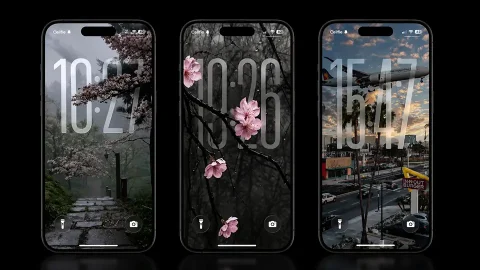
Depth Effect is the Lock Screen feature that separates a wallpaper into two layers: a foreground subject and a background. Once iOS detects a clear subject, it places your clock, date, and widgets visually behind that subject and in front of the background — so as you swipe between Lock Screens or tilt your phone, the foreground element shifts slightly, creating a subtle sense of real depth rather than a static photo.
The feature depends heavily on how cleanly the subject can be separated from its background. A photo with a sharply defined object — a single leaf, a pumpkin, a tree branch — against a softer, blurred backdrop gives iOS an easy, clean edge to detect. A busy, cluttered photo with no obvious single subject tends to confuse the detection and produce a flatter, less convincing result.
Why Autumn Imagery Works So Well With This Feature
Fall photography naturally lends itself to exactly the kind of composition Depth Effect needs. Many classic autumn shots are already built around a single, clear subject — a bright orange maple leaf, a cluster of acorns, a small pumpkin — set against a softly blurred background of fall foliage or an overcast sky. That’s essentially the ideal setup for a convincing depth effect, since the photo already has the foreground/background separation baked in.
Autumn’s warm color palette also plays nicely with the subtle blur iOS applies to the background layer. Rich oranges, deep reds, and golden yellows blur into a warm, glowing wash rather than a harsh or distracting one, which keeps your Lock Screen text easy to read while still feeling rich and seasonal.
Best Types of Autumn Photos for Depth Effect







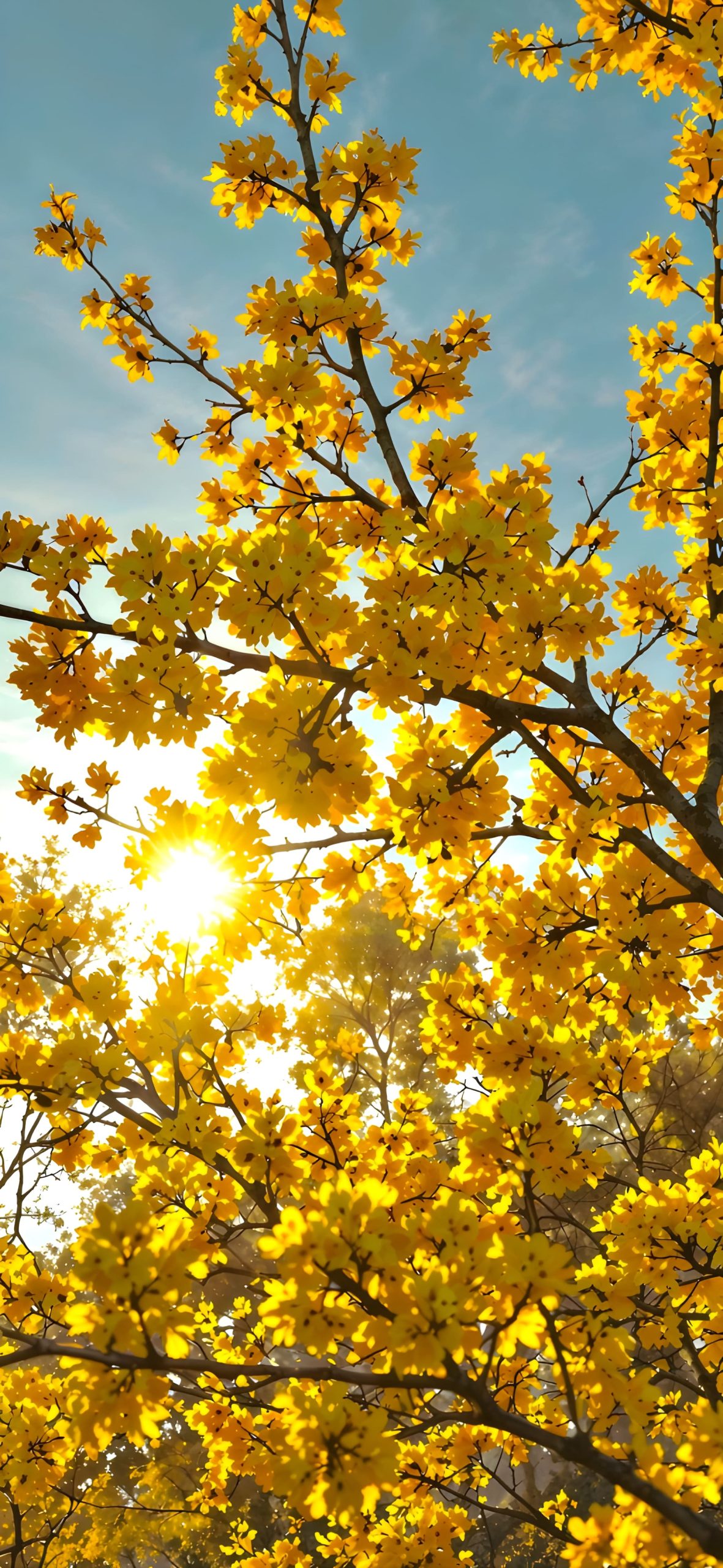

A single falling or hand-held leaf. One of the most classic and effective choices — a maple or oak leaf, sharply in focus, against a soft blurred backdrop of more foliage. The leaf’s irregular edges actually help the depth detection lock onto a clean subject outline.
Small pumpkins or gourds. A single pumpkin sitting in a field or on a porch step, with the background gently blurred, creates a strong foreground element that pairs beautifully with Depth Effect’s layering.
Tree branches with autumn leaves. A close-up of a branch extending into frame, leaves in sharp focus, with a soft sky or blurred forest behind it, gives a natural sense of layering even before Depth Effect is applied.
Acorns, chestnuts, or pinecones. Small, textured objects photographed up close against a blurred forest floor or soft light make for a cozy, tactile-feeling wallpaper that works well with the parallax effect.
A lone tree in a field. Wider autumn landscape shots with one clearly defined tree in the foreground and a soft, hazy background can also work, provided the tree stands out clearly from what’s behind it.
Warm-toned forest paths. A path lined with fall trees, shot with a shallow depth of field so the nearest branches or leaves are sharp and everything further back fades into soft blur, translates naturally into a layered Lock Screen.
How to Set Up an Autumn Depth Effect Wallpaper
- Save your chosen autumn photo to the Photos app.
- Open Settings and tap Wallpaper.
- Tap Add New Wallpaper, then select Photos.
- Choose your image — iOS will automatically detect whether Depth Effect is supported for that photo.
- If it is, you’ll see the foreground subject shift slightly as you preview the Lock Screen; adjust the zoom and centering so the leaf, pumpkin, or branch is well-framed.
- Tap Set, then choose whether to apply it to your Lock Screen, Home Screen, or both.
If Depth Effect doesn’t activate, try a photo with a cleaner, more isolated subject — busy autumn scenes with lots of overlapping leaves and branches can sometimes be too visually complex for the detection to work cleanly.
Styling Tips for a Cozy, Cohesive Look
- Choose warm off-white or soft cream tones for your clock and date text so it complements the autumn palette without looking harsh against it.
- Keep widgets minimal if your foreground subject already takes up a good portion of the frame, so the Lock Screen doesn’t feel overcrowded.
- Build a small rotating set of two or three autumn images — a leaf, a pumpkin, a forest path — so your Lock Screen can shift through the season without losing its cohesive fall feel.
- Pair your autumn Depth Effect wallpaper with warm-toned Home Screen icons or widgets for a more unified seasonal aesthetic.
Final Thoughts
Autumn Depth Effect iPhone wallpapers combine two things that were practically made for each other — a season full of naturally well-composed, single-subject photography, and a Lock Screen feature that thrives on exactly that kind of image. Whether you gravitate toward a single glowing leaf, a small pumpkin, or a sunlit forest path, choosing a photo with a clear, isolated subject will give you a genuinely convincing 3D effect and a Lock Screen that feels warm, cozy, and unmistakably fall.
Explore More :
- 10 Best Split-View iPhone Depth Effect Wallpapers (4K Download)
- Aesthetic Flower iPhone Wallpapers: Minimalist 4K Picks
- iOS 27 Pastel Depth Effect Wallpapers: Soft 3D Lock Screens [10+]
- Spider-Man 3D Wallpapers for iPhone (4K HD) – Free Download
- Ocean Depth Effect Wallpapers for iPhone (4K HD) – Free Download
- 15+ iOS 27 3D Spatial Scene Wallpapers for iPhone (4K HD)
- 20+ Blooming Sakura 3D Depth Effect iPhone Wallpapers 4K



3 comments